

Table of Contents
Events are enabled on a per-Space basis. Each Space can have its own event settings, including who is allowed to create events.
Step 1: Open Space Settings #
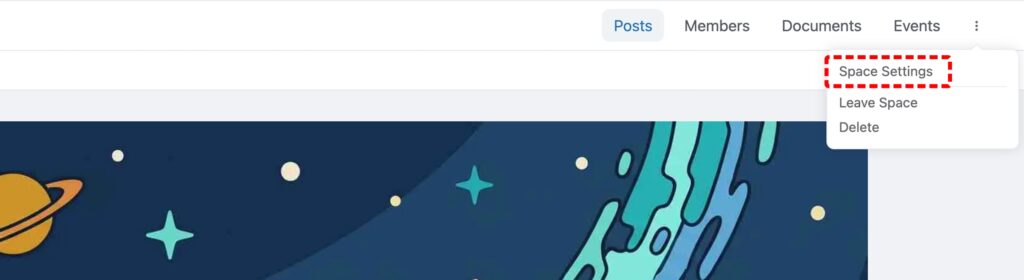
Navigate to the Space where you want to enable events. Click the three-dot menu in the top-right corner and select Space Settings.
Step 2: Enable SpaceEvents #
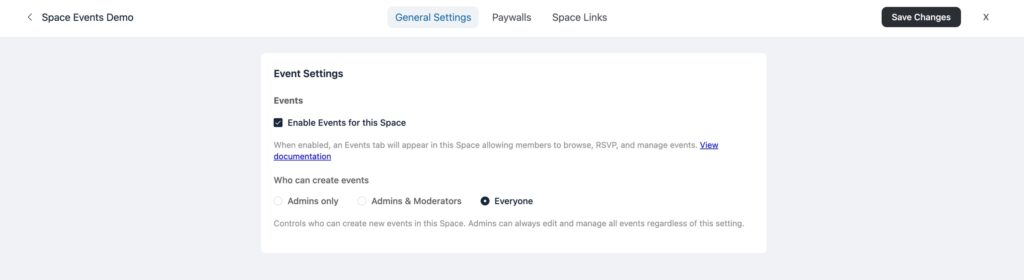
In the Space Settings panel, find the Space Events section. Toggle the Enable Events switch to on.
Step 3: Set creation permissions #
Choose who can create events in this Space:
- Admins Only — Only site administrators and Space administrators can create events.
- Admins & Moderators — Administrators and Moderators can create events.
- Everyone — All Space members can create events.
Step 4: Save changes #
Click Save Changes to apply the settings.


