

SpaceEvents
Bring events to your community. SpaceEvents is a powerful yet intuitive event management addon for FluentCommunity, giving you everything you need to create, manage, and track events — whether they’re private to a Space or open to your entire community.
Set up events in minutes with flexible permissions, attendee tracking, and export tools that make managing your community calendar effortless. Simple for admins, seamless for members.

Core Features

Create and manage events within individual Spaces or across your whole community.
Full attendee tracking with registration management.
Export attendee lists as CSV or PDF.
Flexible permission controls — decide who can create, edit, and manage events.
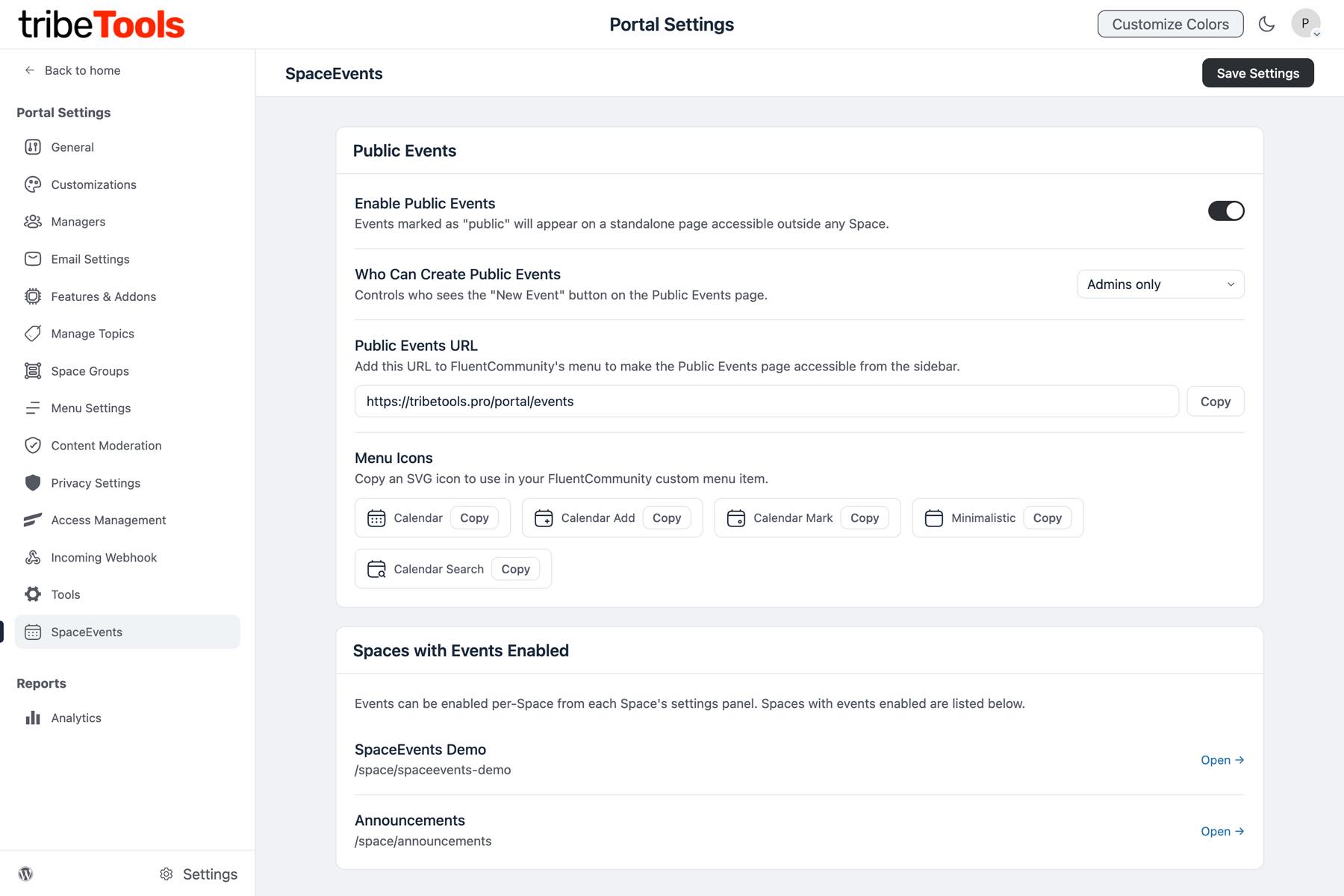
Public Events option for community-wide visibility.
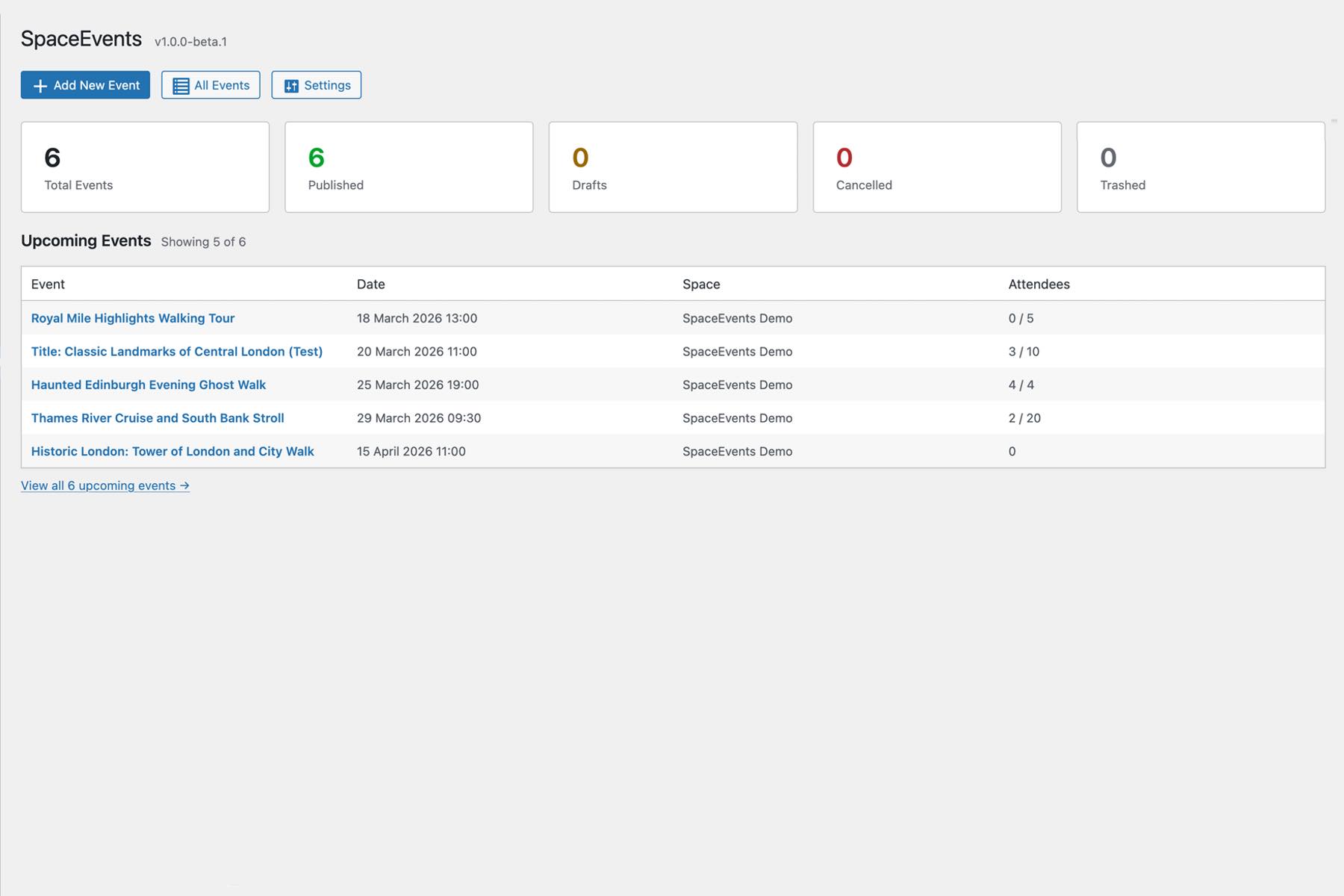
Site Admin Dashboard for a complete overview of all events.
Clean, intuitive interface that fits naturally within FluentCommunity.
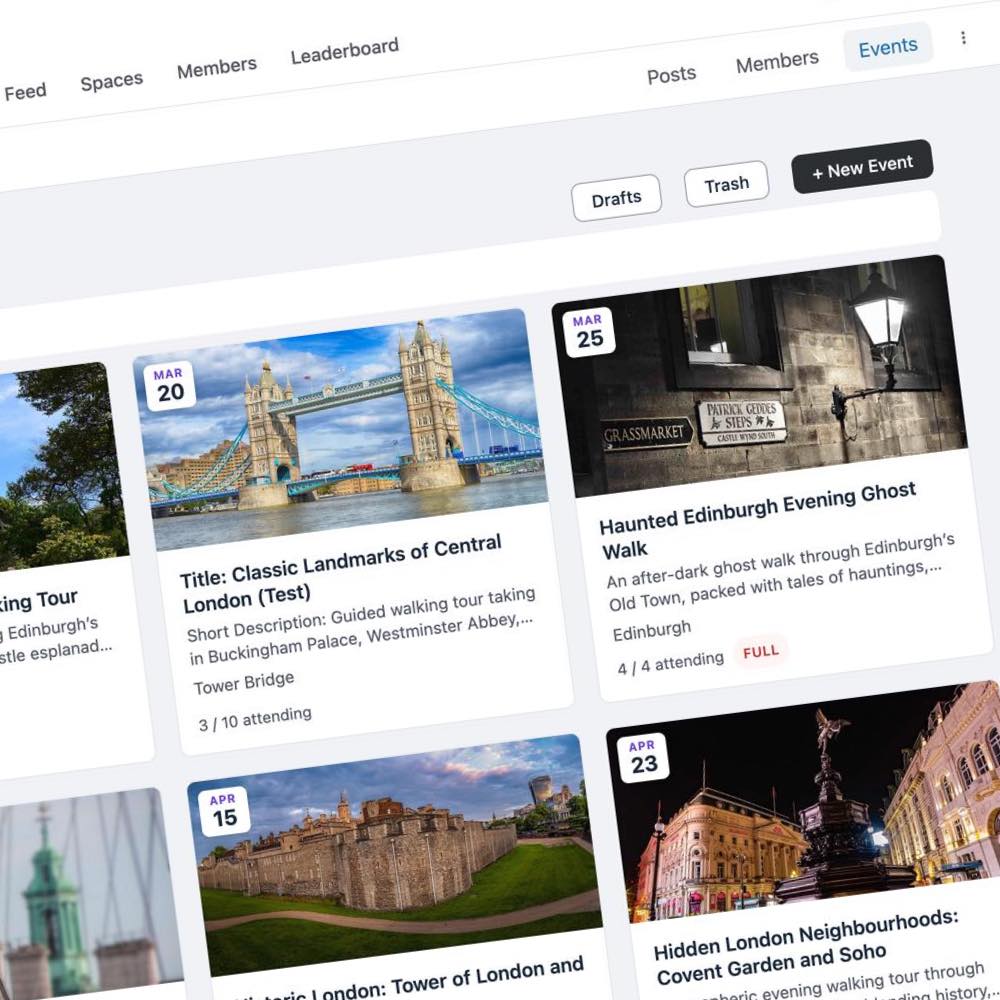
Setup up your Events in single or multiple Spaces, also supports full Site-wide Events.
SpaceEvents — Screenshots
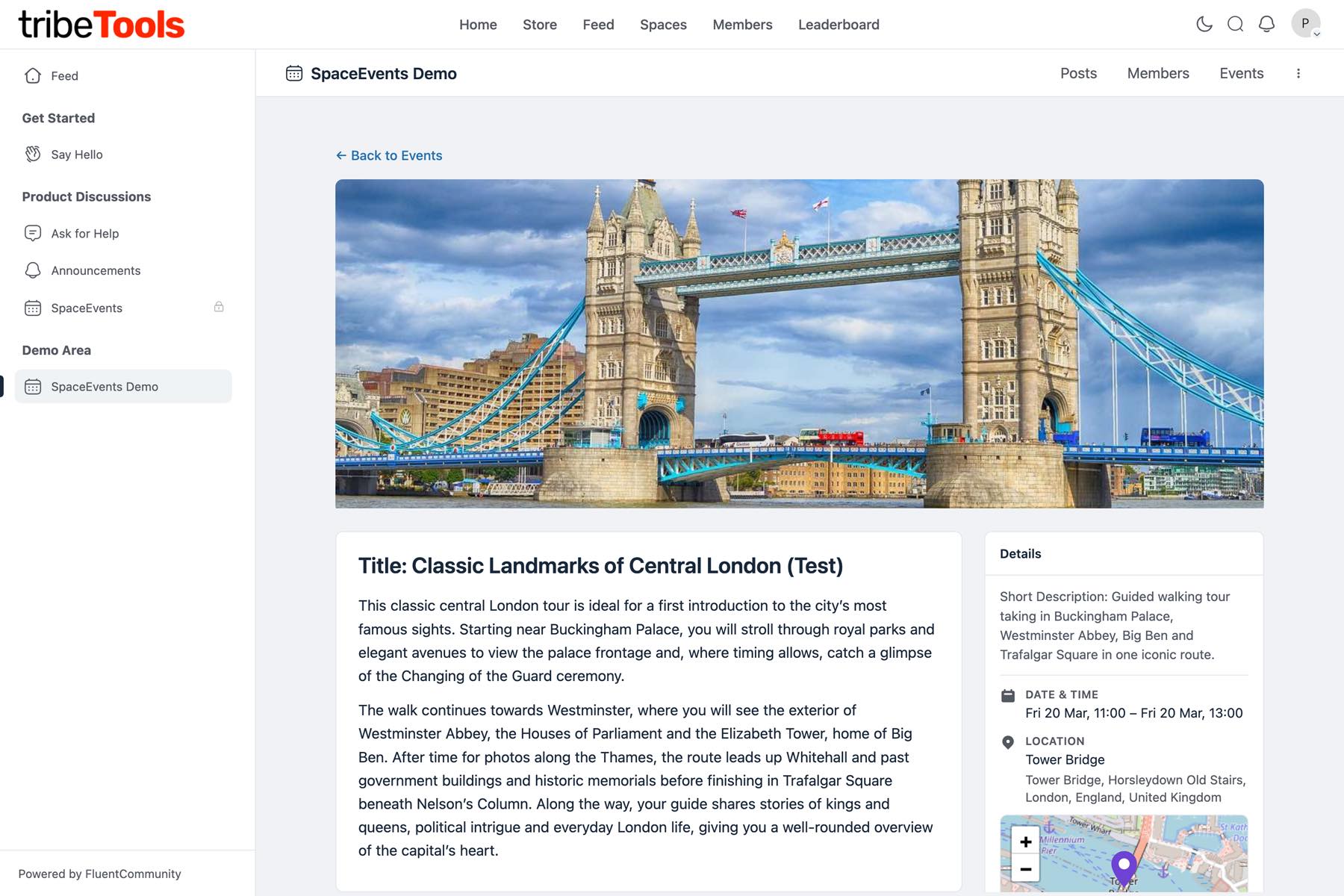
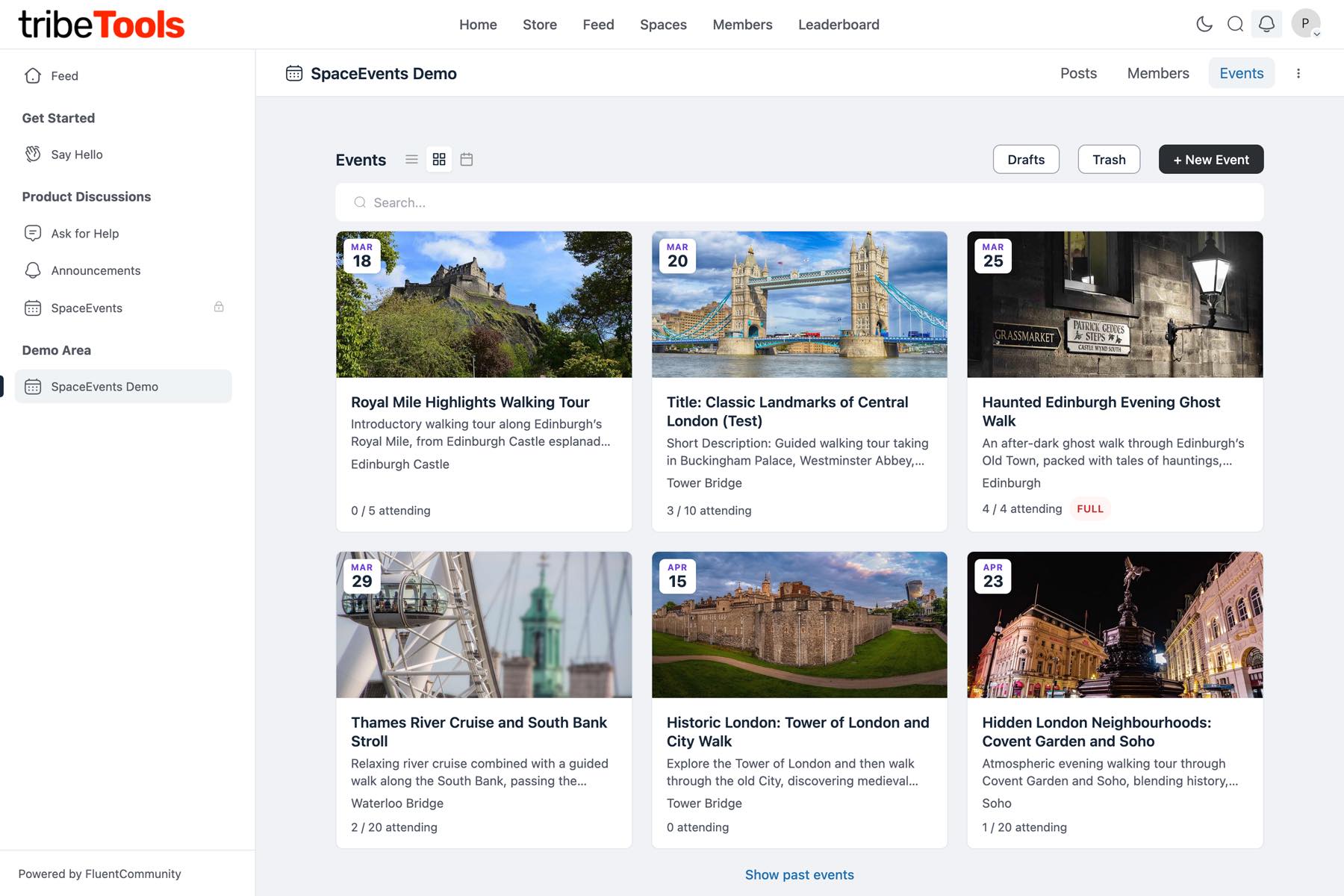
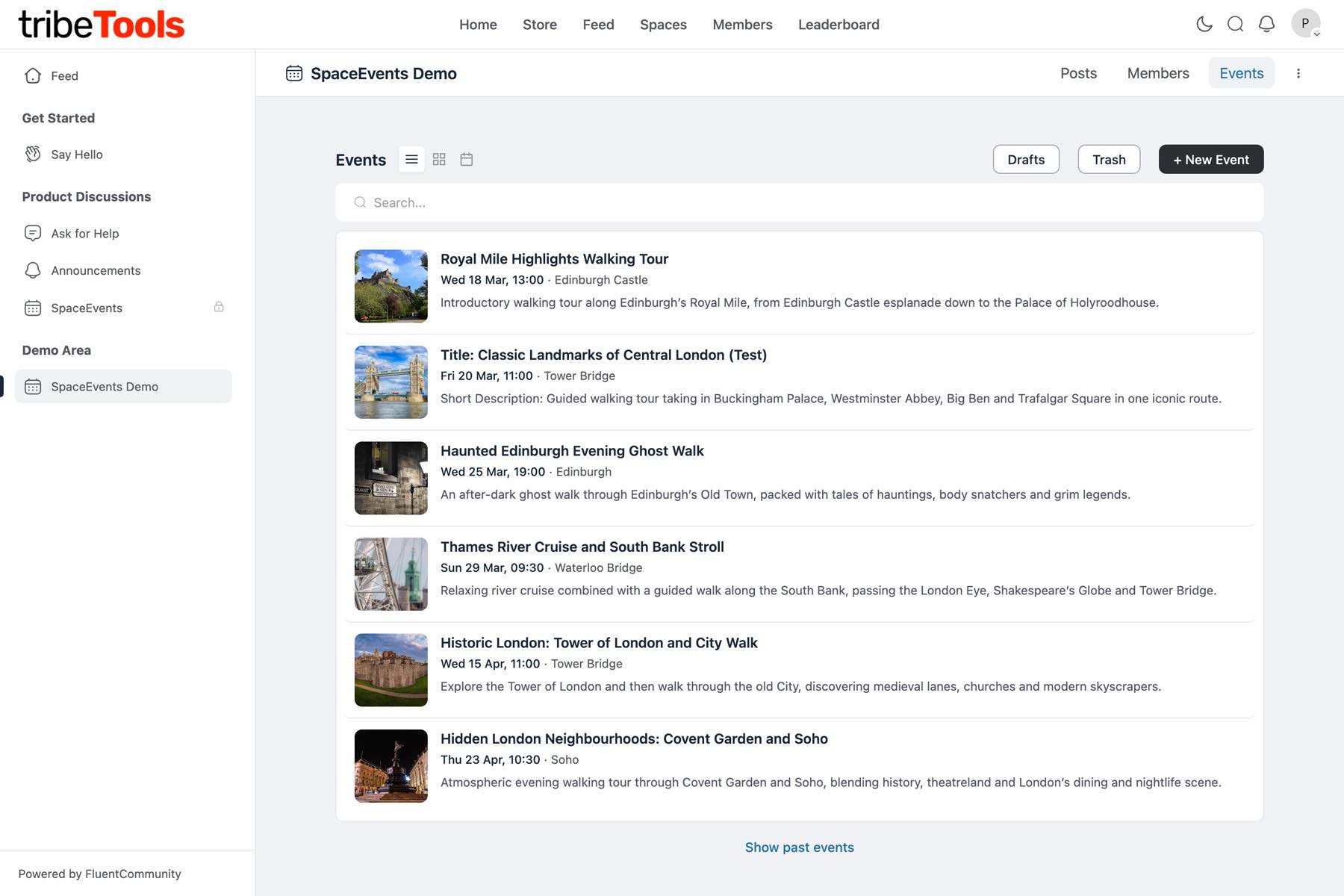
Site Admin Dashboard
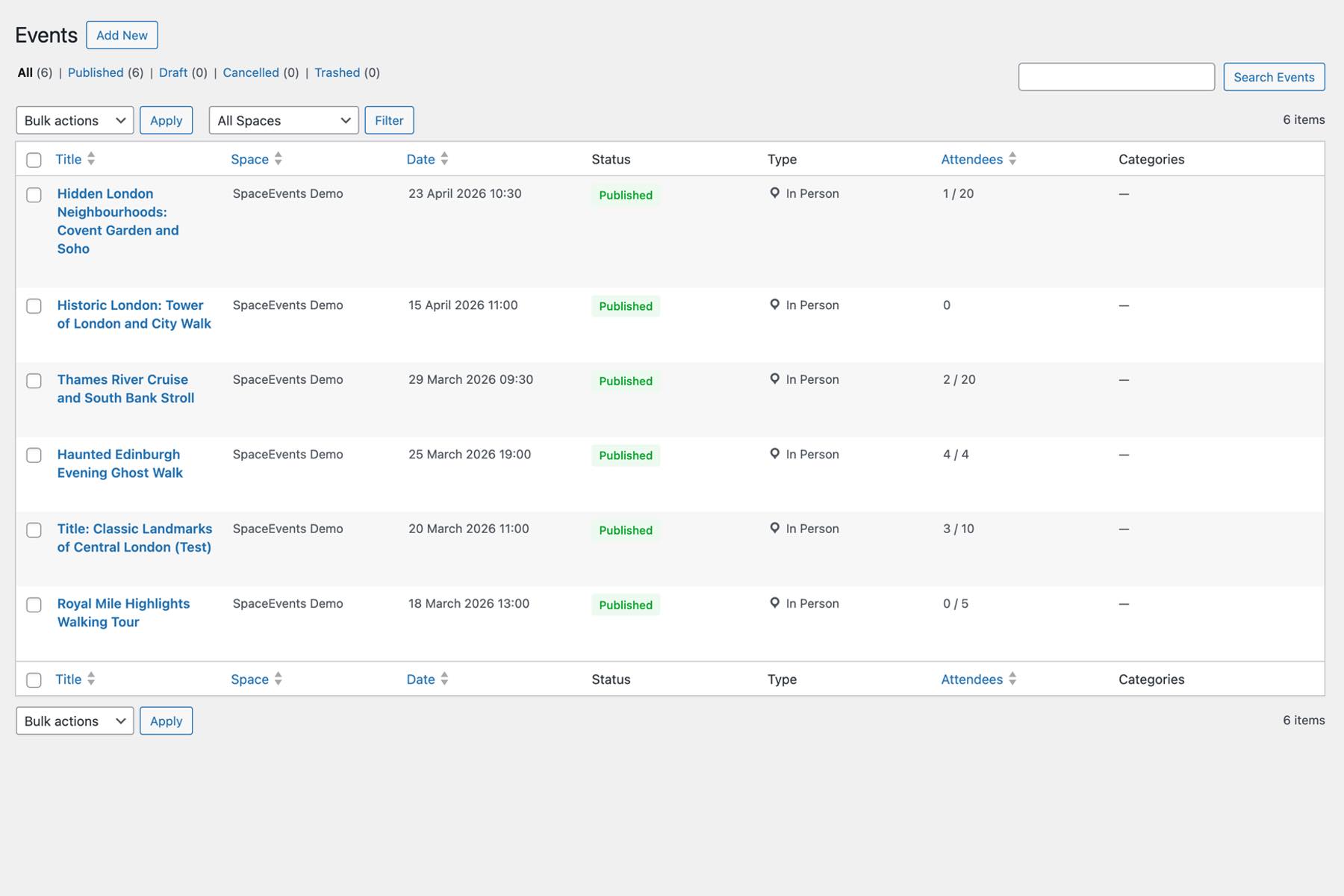
Get a complete overview of every event across your community. The Site Admin Dashboard gives administrators full visibility and control — view upcoming and past events, manage attendees, and keep tabs on activity across all Spaces without needing to navigate into each one individually.
- Bird’s-eye view of all events across every Space.
- Manage, edit, or remove any event from a single location.
- View and export attendee data community-wide.
- Quick access to event settings and permission controls.
Keep events relevant and contained within the Spaces that matter. Space Specific Events lets Space admins and permitted members create events tied directly to their Space — perfect for group meetups, workshops, or recurring sessions that only need to reach the right audience.
- Events are visible only to members of the Space.
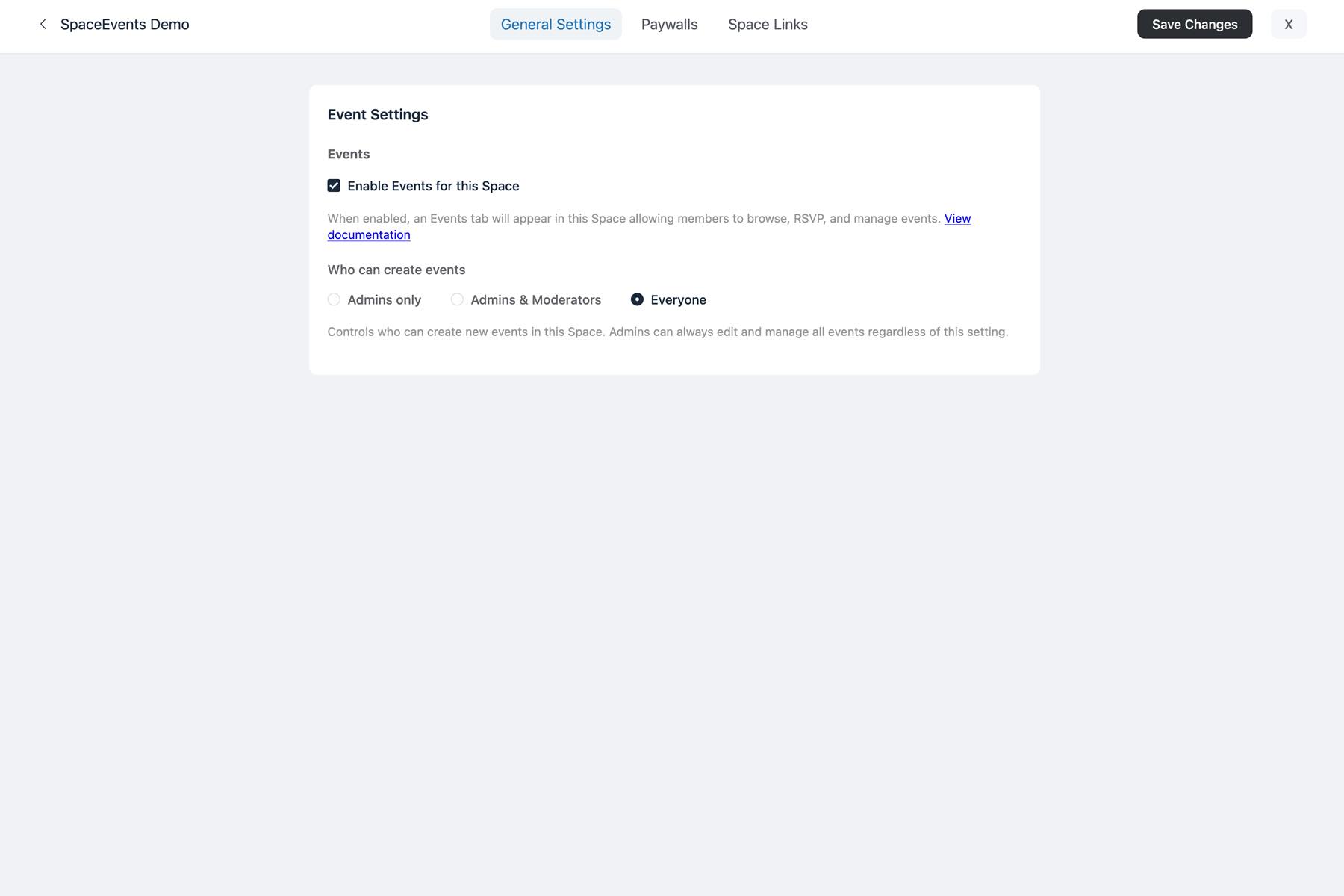
- Space admins can control who is able to create and manage events.
- Attendee tracking and RSVP management per event.
- Ideal for private groups, teams, or interest-based communities.
Space Specific Events
Site-Wide Public Events
Take your events beyond individual Spaces with Full Public Events. Create community-wide events that are visible to all members — or even to the public. Perfect for launches, webinars, open days, or any event that deserves maximum reach across your entire community.
- Events are visible community-wide, not limited to a single Space.
- Optional public visibility for non-members.
- Full attendee tracking and export capabilities.
- Great for announcements, community gatherings, and large-scale events.
Version 1.0.0 Beta-1
SpaceEvents — Feature List & Product Roadmap
Complete list of current features and proposed roadmap.
Status Key
✅ Live — in current beta
🔵 Planned — confirmed for v1.0 stable
🟡 Roadmap — future version
Event Management
| Feature | Description | Status |
|---|---|---|
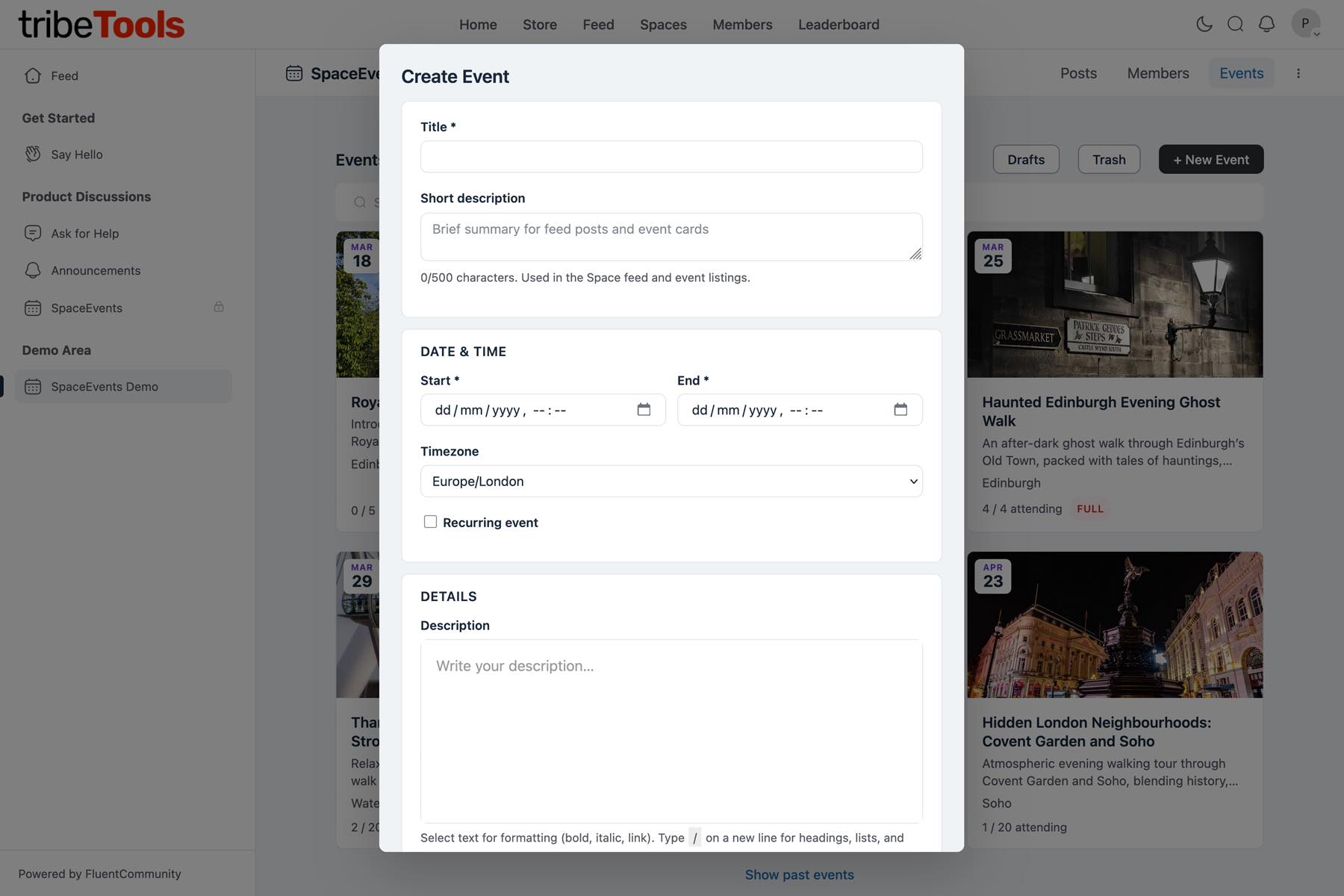
| Create Events | Create events within any Space or as public site-wide events with full details — title, description, dates, location, cover image, capacity, and more. | ✅ Live |
| Edit Events | Update any event detail after creation. Attendees receive a notification when key details change. | ✅ Live |
| Draft & Publish | Save events as drafts to work on later, then publish when ready. Drafts are only visible to you and Space admins. | ✅ Live |
| Cancel Events | Cancel an event without deleting it. All registered attendees are notified automatically. | ✅ Live |
| Delete & Restore | Deleted events go to trash first — restore them if needed, or permanently delete when you’re sure. | ✅ Live |
| Cover Image | Upload a cover image to make your event stand out in the feed posts and on the event page. | ✅ Live |
| Short Description | Add a brief summary (up to 500 characters) shown on event cards and feed posts. | ✅ Live |
| Long Descriptions | Rich text event descriptions using FC’s native slash-command editor with formatting, links and more. | ✅ Live |
| Event Types | Choose In-person, Virtual, or Hybrid — the form adapts to show the right fields for each type. | ✅ Live |
| Organiser Details | Add an organiser name, contact email, and phone number. Choose whether contact info is visible to everyone or only registered attendees. If left blank, the event creator detaisl are used. | ✅ Live |
| Event Capacity | Set a maximum number of attendees per event. Leave blank for unlimited capacity. | ✅ Live |
| Price Display | Show pricing information on your event (e.g. “Free”, “£25 per person”). Informational only — no payment processing in this version | ✅ Live |
| Timezone Support | Set the timezone for each event. Your browser’s timezone is auto-detected as the default. | ✅ Live |
| Recurring Events | Set up repeating events with flexible rules — daily, weekly, bi-weekly, or monthly. | ✅ Live |
| Countdown Timer | Live countdown (days, hours, minutes, seconds) displayed on the event page with option to show or hide. | ✅ Live |
Location & Maps
| Feature | Description | Status |
|---|---|---|
| Venue Details | Add a venue name and address for in-person and hybrid events. | ✅ Live |
| Address Autocomplete | Start typing an address and choose from suggestions — coordinates are set automatically. | ✅ Live |
| Interactive Map | An interactive map is shown on the event page when a location has been set. | ✅ Live |
| What3Words | Option to add Add a What3Words link for precise venue locations, displayed as a clickable ///word.word.word link. | ✅ Live |
Virtual & Online Events
| Feature | Description | Status |
|---|---|---|
| Platform Selector | Choose from popular platforms: Zoom, Microsoft Teams, Google Meet, and more. | ✅ Live |
| Meeting URL | Start typing an address and choose from suggestions — coordinates are set automatically. | ✅ Live |
| Expanded Platforms | Support for Webex, GoToMeeting, Jitsi, Discord, YouTube Live, Twitch, Vimeo, and more. | ✅ Live |
| Meeting ID & Passcode | Dedicated fields for meeting ID, passcode, dial-in numbers, and joining instructions — all private to registered attendees. | ✅ Live |
Registration & Attendees
| Feature | Description | Status |
|---|---|---|
| One-Click Registration | Members register for events with a single click. | ✅ Live |
| Cancel Registration | Attendees can cancel their registration at any time before the event. | ✅ Live |
| Capacity Limits | Set a maximum number of attendees. The count is shown on event cards so members can see availability at a glance. | ✅ Live |
| Waitlist | When an event is full, members can join a waitlist. They’re automatically promoted and notified when a spot opens up. | ✅ Live |
| Registration Deadline | Optionally set a date and time after which new registrations are no longer accepted. | ✅ Live |
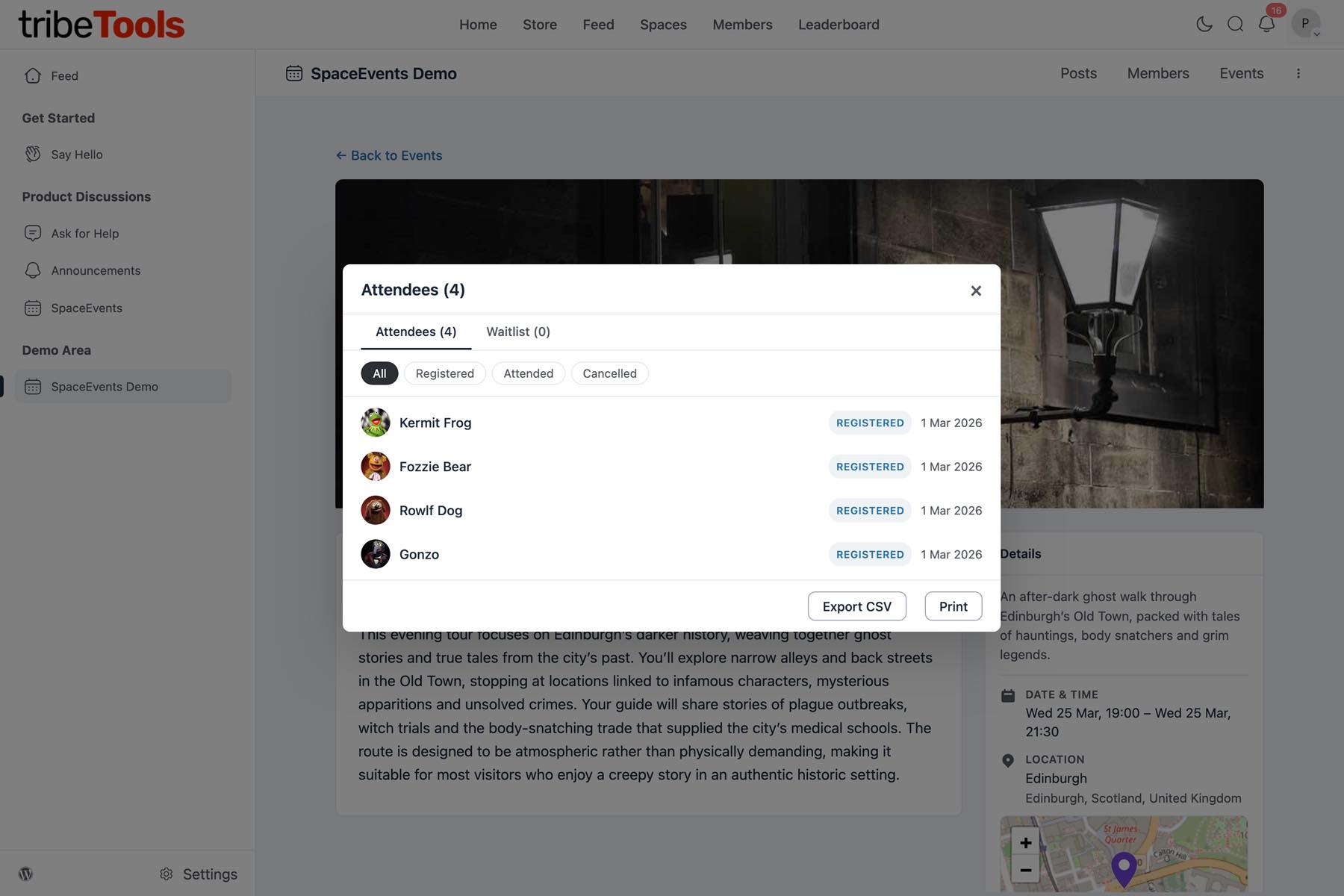
| Attendee List | Organisers can view the full attendee list with name, email, status, and registration date. | ✅ Live |
| Waitlist View | Organisers can view waitlist entries with position number, name, and join date. | ✅ Live |
| Export to CSV | Export attendee and waitlist lists as CSV files for check-in sheets, mailing lists, or reporting. | ✅ Live |
| Print List | Print a formatted attendee list directly from the browser for use at the venue. | ✅ Live |
| Add Attendees | Organisers can search for and add members to an event directly. | ✅ Live |
| Remove Attendees | Organisers can remove an attendee from an event, with an automatic notification sent. | ✅ Live |
File Attachments
| Feature | Description | Status |
|---|---|---|
| Upload Files | Attach documents and images to events — PDF, Word, Excel, PowerPoint, and image files supported. | ✅ Live |
| Visibility Control | Attendees can cancel their registration at any time before the event. | ✅ Live |
| Manage Attachments | View, download, and delete attachments from the event edit page. | ✅ Live |
Display & Views
| Feature | Description | Status |
|---|---|---|
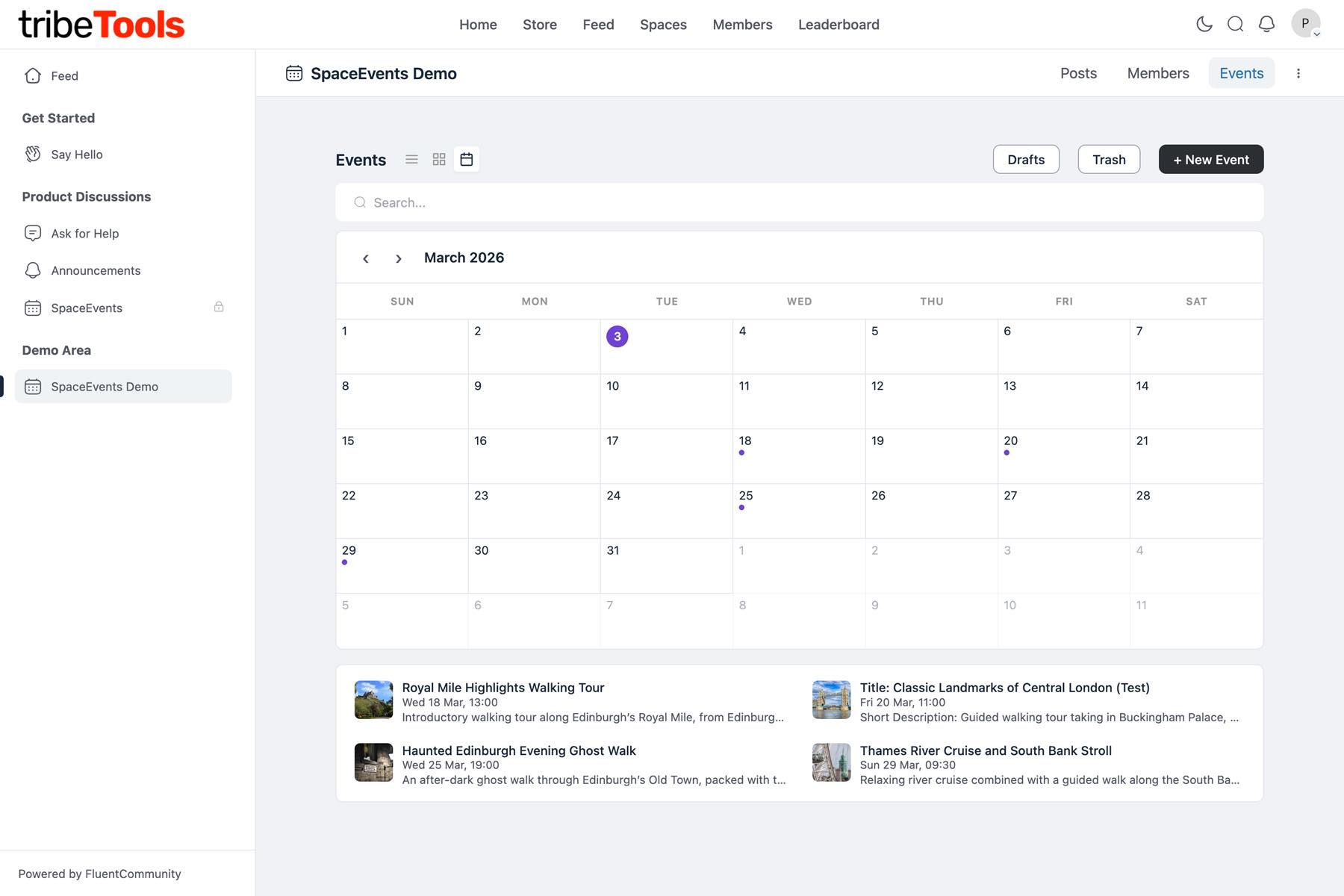
| List View | Horizontal event cards showing key details at a glance. | ✅ Live |
| Card Grid View | Visual grid of event cards — great for browsing when there are many events. | ✅ Live |
| Calendar View | Month calendar with event dots. Click any date to see that day’s events. Navigate between months with Previous/Next and a “Today” button. | ✅ Live |
| View Preference | Your preferred view mode is automatically remembered between visits. | ✅ Live |
| Search | Search events by title or description with instant results. | ✅ Live |
| Category Filter | Filter events by category using colour-coded chips. | ✅ Live |
| Past Events | Toggle to show past events alongside upcoming ones. | ✅ Live |
| Dark Mode | Fully supports FluentCommunity’s dark mode — all pages look great in both light and dark themes. | ✅ Live |
| Mobile Friendly | Responsive design that works well on phones and tablets. Maps are touch-friendly on mobile. | ✅ Live |
FluentCommunity Integration
| Feature | Description | Status |
|---|---|---|
| Space Events Tab | Events appear as a dedicated tab in the Space navigation, right alongside Posts, Members, and other tabs. | ✅ Live |
| Privacy | Events automatically follow the Space’s privacy setting — Public, Private, or Secret. | ✅ Live |
| Permissions | Fine-grained control: choose whether all members, admins & mods, or only admins can create events in each Space. | ✅ Live |
| Feed Posts | Optionally announce events in the Space feed and/or the global community feed when published. | ✅ Live |
| Notifications | Bell notifications keep members informed about new events, registration confirmations, event updates, and cancellations. | ✅ Live |
| Public Events Page | A dedicated community-wide events page showing all public events with full search, filtering, and calendar views. | ✅ Live |
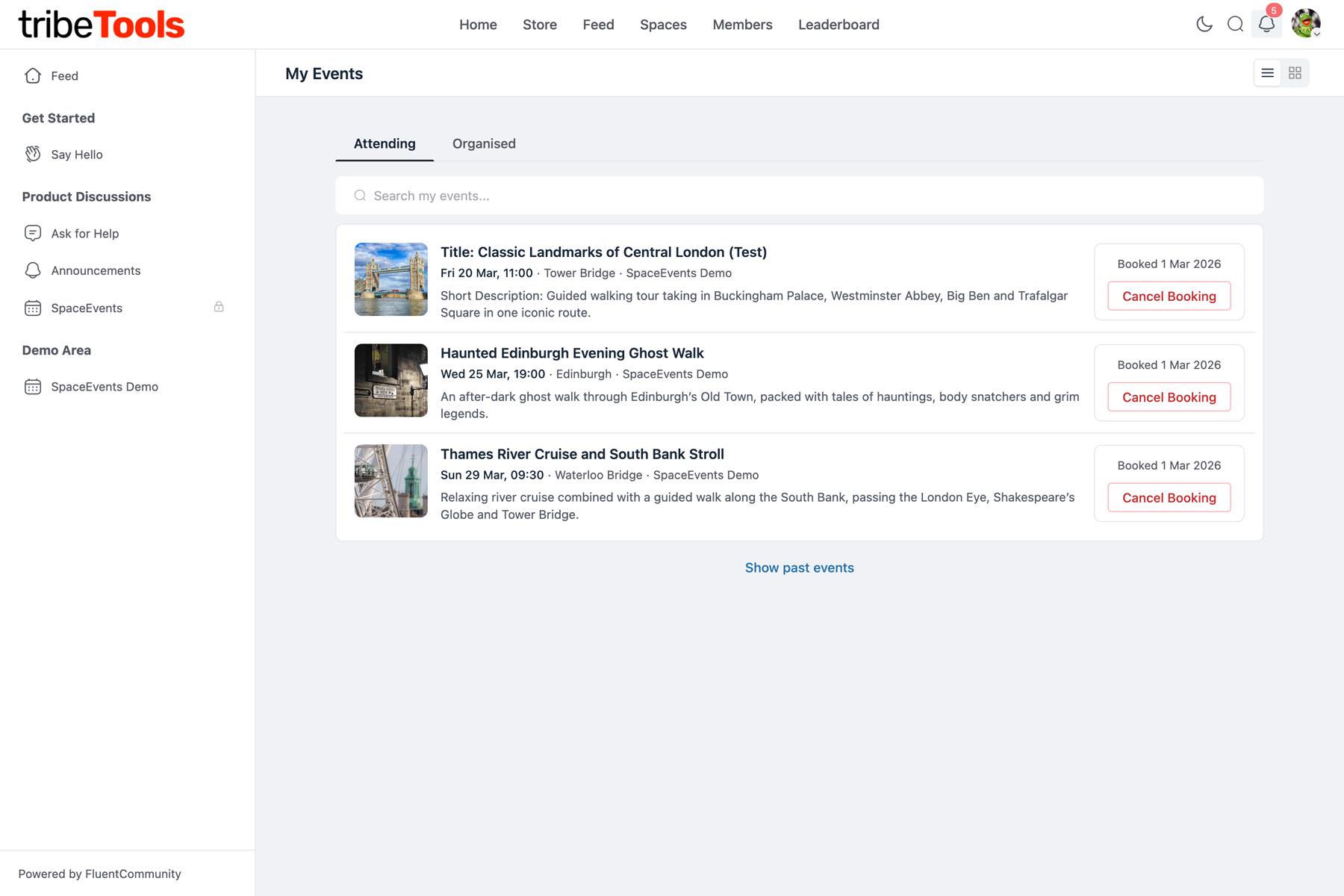
| My Events Menu | Quick access to “My Events” from the profile dropdown menu. | ✅ Live |
Email Notifications
| Feature | Description | Status |
|---|---|---|
| Registration Confirmation | Attendees receive an email confirming their registration with event details and a link to the event. | ✅ Live |
| New Registration Alert | Event organisers are notified by email when someone registers for their event. | ✅ Live |
| Cancellation Confirmation | Attendees receive an email when they cancel their registration. | ✅ Live |
| Cancellation Alert | Event organisers are notified when someone cancels their registration. | ✅ Live |
| Event Reminder | Automated reminder email sent 24 hours before the event starts. | ✅ Live |
| Waitlist Confirmation | Confirmation email with waitlist position and a note that they’ll be notified when a spot opens. | ✅ Live |
| Waitlist Promotion | Email notification when promoted from the waitlist — “You’re now registered!” with full event details. | ✅ Live |
| Email Toggles | Admins can enable or disable each email type from the settings panel. | ✅ Live |
| Customisable Templates | Edit email content per notification type with merge tags like {event_title} and {attendee_name}. | ✅ Live |
| Event Update Email | Notify registered attendees by email when event details change (date, time, location). | ✅ Live |
| Event Cancellation Email | Email all registered attendees when an event is cancelled. | ✅ Live |
Event Categories
| Feature | Description | Status |
|---|---|---|
| Create Categories | Create event categories with custom names and colours from the admin panel. | ✅ Live |
| Assign to Events | Assign one or more categories to each event for organisation and filtering. | ✅ Live |
| Filter by Category | Members can filter event listings by category using colour-coded chips. | ✅ Live |
| Category Badges | Category badges are shown on event cards for quick visual identification. | ✅ Live |
| Category Management | Add and Delete Categories on the Space Settings page. | ✅ Live |
Administration (WordPress Admin)
| Feature | Description | Status |
|---|---|---|
| Dashboard | Overview page with event counts by status, upcoming events, and quick links. | ✅ Live |
| Event List | Manage all events with filtering by status, Space, and category. Bulk actions for common tasks. | ✅ Live |
| Event Editor | Full event form in the WordPress admin for creating and editing events. | ✅ Live |
| Category Manager | Create, edit, and delete event categories with colour picker. | ✅ Live |
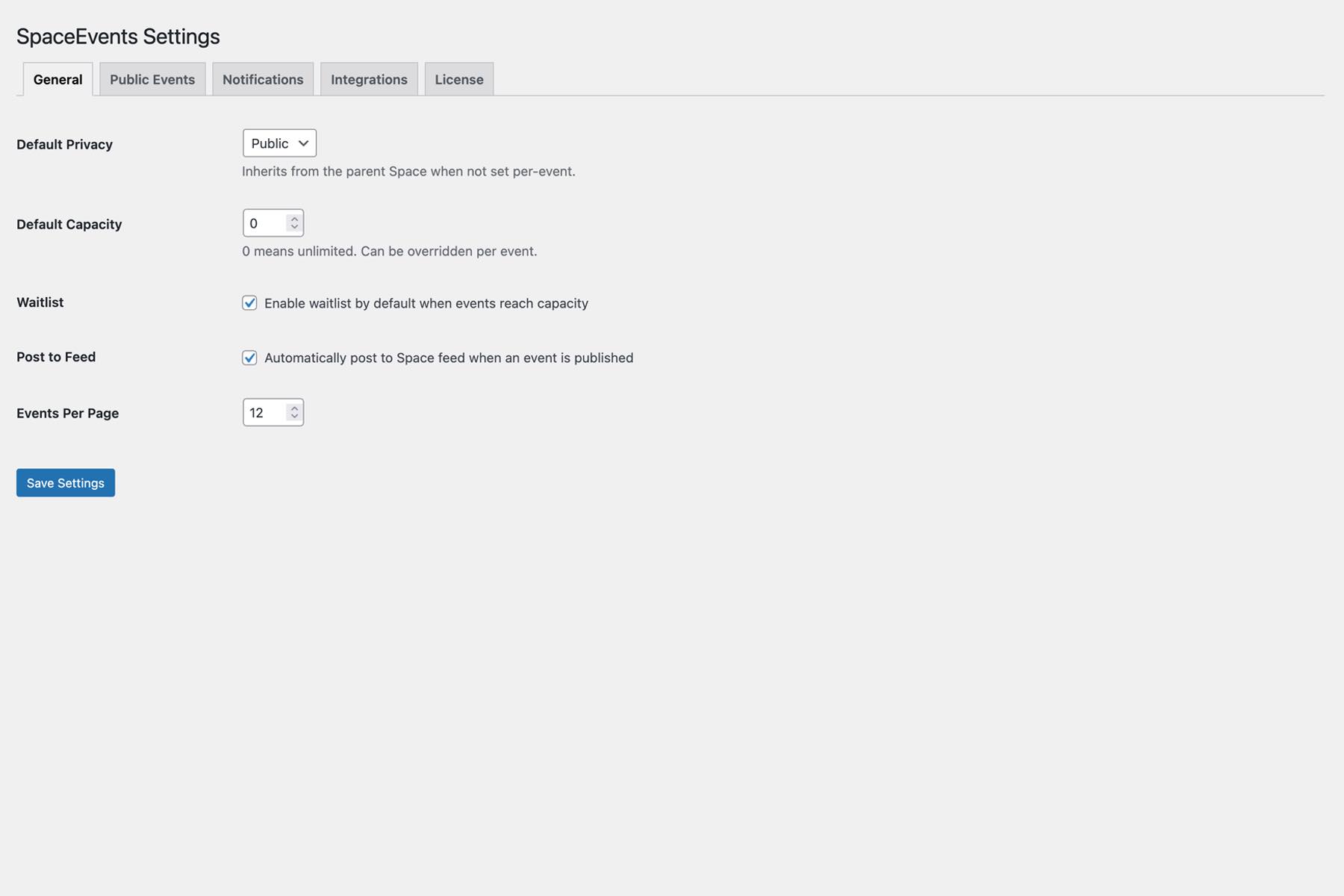
| Settings Panel | Tabbed settings page covering General, Public Events, Notifications, Integrations, and Licence. | ✅ Live |
| Licence Management | Activate and manage your licence key. View status, expiry, and renewal information. | ✅ Live |
| Auto-Updates | Receive plugin updates automatically through your licence. | ✅ Live |
| Admin Attendee Tools | Manage attendees, waitlist, and attachments from the WordPress admin. | ✅ Live |
Integrations
| Feature | Description | Status |
|---|---|---|
| FluentCommunity | Deep integration with Spaces, feeds, notifications, permissions, and user profiles. | ✅ Live |
| Geocoding | Address autocomplete and map coordinates via Photon (free, default), Google Maps, or Mapbox. | ✅ Live |
| FluentCRM | Automatically tag contacts in FluentCRM when they register for an event. | ✅ Live |
| Fluent Forms | Add custom registration and follow-up feedback forms. | 🟡 Roadmap |
Change-log
1.3.1 Update — 21st August 2026
New Features
- Display-only events show their joining link. Events with registration disabled and virtual details set to “Everyone” now show the clickable join link to all members — no more “Register to get the link” on events nobody can register for, and the confusing “Registration is managed externally” message is gone.
- Publishing into a Space works properly. Creating an event from Public Events and choosing a Space in “Publish to” now actually publishes it into that Space — previously the choice could be silently lost, leaving the event visible only in your Organised list. After publishing you land on the event’s Space page, and the back button returns you to the right place.
- “Public event” is now opt-in. Choosing a Space unticks the “Public event” box automatically — cross-posting to Public Events is a deliberate choice, not a default.
- Editing no longer changes where an event lives. Updating a Space event from your Organised list could silently make it public. An event’s Space and public visibility are now locked once published — attempting to change them gives a clear message instead of a silent surprise.
- Privacy always follows the Space. If a Space is made private or secret after events were created, those events are no longer reachable via a direct link by people outside the Space. Event visibility now always follows the Space’s current privacy.
- Correct errors on translated sites. Error responses no longer depend on matching English text internally, so non-English sites get proper “not found” handling.
- Greeting bolding for every language. The bolded name in email greetings (“Hi Sam,”) now works with translated greeting words, not just English ones.
Improvements
- Deleted CRM tags are handled safely. If a FluentCRM tag that restricts event access is deleted, the events keep their restriction (staying hidden rather than becoming public), organisers and admins are alerted by bell and email, and affected members are removed with the usual Access Removed email — they stay in the attendee list marked cancelled so organisers can re-add them. The tag is also removed from Space and public event defaults, and affected events show a clear warning in the event form.
- “Watch live” for streaming events. Events on YouTube Live, Twitch or Vimeo Livestream now say “Watch live on…” instead of “Join”.
- Faster event pages. New cover images are automatically resized to a sensible maximum width on upload, so pages stop shipping full-size photos. Existing images are untouched; attachments keep their original size.
1.3.0 Update — 2nd August 2026
New Features
- Add to Calendar. Every published event now has an Add to Calendar button — Google Calendar, Outlook, or download a universal .ics file (Apple Calendar and others). For recurring events, the links follow the date you have selected. Location and joining details are only included for people allowed to see them.
- Calendar invites in emails. Booking confirmation and waitlist promotion emails now attach a calendar invite and include Add to Calendar links via the new
{add_to_calendar}merge tag. If a booking is cancelled — by the member, an organiser, an access change, or the event being cancelled — the email carries a cancellation file that removes the entry from supporting calendars automatically. Editing an event’s date or time sends attendees a refreshed invite that updates their calendar entry in place. - Cancel Event in the portal. The Delete button on published events is now Cancel Event and does what organisers expect: attendees and the organiser are emailed (with the calendar cancellation attached), bell notifications are sent, and the event’s feed post is removed. The attendee list is kept as the organiser’s record of who was booked. Drafts still have a straightforward Delete.
{past_event_notice}merge tag. Add it to any email template to show “Please note: this event has already taken place.” when the event is in the past — and nothing otherwise.- Email template descriptions. The Email Templates editor now explains who receives each template and what triggers it, so you can tell Cancellation Confirmation from Cancellation Alert at a glance.
Bug Fixes
- Attendee counts are accurate again. Promoting someone from the waitlist could double-count them if they had ever held a booking on that event. The counting is fixed, and updating the plugin automatically corrects any event counts that had already drifted.
- Feed posts no longer outlive their event. Cancelling or deleting an event now removes its Space and public feed posts (including comments and reactions). Previously the post stayed in the feed pointing at a dead event.
- Bell notification settings now work. The “Notify Space members when a new event is published” and “Notify event organiser when someone RSVPs” checkboxes actually control those notifications now. Notifications about a member’s own booking (cancellations, waitlist promotions and similar) are always sent.
- Plugin updates take effect immediately. Asset versions now change with every build, so browsers stop serving stale scripts and styles after an update — no more hard-refreshing.
Improvements
- “15 March 2026 at 2:00 pm”. Dates and times in feed posts and the {event_date} email merge tag are now joined with a translatable “at” instead of a raw punctuation mark, so they read naturally in every language.
- More strings translatable. Another sweep closed every remaining gap — email template names and merge-tag descriptions, admin dashboard and attendee tables, editor menu labels, and portal view tooltips can all be translated now.
Notes for customised email templates
- The new
{add_to_calendar}tag is included in the default Booking Confirmation and Waitlist Promotion templates. If you have customised those templates, add the tag where you would like the calendar links to appear. {event_date}output has changed slightly: “15 March 2026 at 2:00 pm” instead of “15 March 2026 · 2:00 pm”.The feed post wording fix applies to newly published events; existing feed posts keep their original text.
1.2.0 Update — 2nd July 2026
New Features
- External events. You can now disable registration and link to an external event website — handy when people sign up somewhere else.
- Registered-only event details. Choose whether the location, virtual meeting details, and contact details are visible to everyone or only to people who have registered.
- Restrict access by tag (FluentCRM). Limit who can see and register for an event to members holding specific FluentCRM tags. Restricted events are hidden from listings and show a no-access message on a direct link for anyone without a required tag — the same way secret Spaces behave. Organisers and managers see a “Members Only” indicator, and you can leave the tags empty for no restriction.
- Default access tags for Spaces and public events. Set default access tag(s) per Space and for public events to pre-fill the tag picker when creating a new event (still adjustable per event). Changing a default later does not affect events that already exist.
- Automatic access revocation. When a member loses a required tag — for example, their membership ends — their registration and waitlist place for affected events are cancelled automatically, and they receive an email letting them know.
- “Access Removed” email template. A dedicated email sent when a member’s access to an event is revoked, explaining what happened and pointing them to the organiser. Customisable in Settings > Email Templates.
- “Members Only” column and filter in All Events. The WordPress admin event list now shows which events are restricted by tag (with the tag names), and a new “Members Only” filter alongside Published, Draft, Cancelled and Trashed lists just the restricted events.
- Bulk Edit in All Events. Select multiple events and edit them together, WordPress-style — change status, and add, remove or replace categories and access tags in one go.
- Quick Edit in All Events. Edit an event’s title, status, categories and access tags right from the list, just like WordPress posts.
Bug Fixes
- Organiser name now respects contact visibility — it is hidden from non-registered visitors when contact details are set to registered-only.
- Fixed the settings page header overlapping the page.
- Global feed posting works again — events set to post to the global community feed now appear correctly.
- Better on phones. SpaceEvents admin pages no longer scroll sideways on mobile — the event editing page, categories and settings now fit small screens properly.
- Description editor sizing fixed. The description editor in the WordPress admin had oversized padding that squashed your text into a narrow column (especially on phones). It now uses the space properly.
Improvements
- Clearer external events. When registration is disabled, all details are shown to everyone and the visibility options lock automatically, with a short note explaining why.
- Explicit “Publish to” choice. When creating an event outside a Space, you now choose where to publish it before publishing, and the access-tag options unlock once a destination is selected.
- Helpful prompt when no tags exist. If FluentCRM has no tags yet, the access-tag settings show a short message and a link to create tags in FluentCRM.
- Consistent save confirmations. Saving SpaceEvents Settings in the community portal now shows the same style of confirmation as the rest of FluentCommunity, and error messages appear the same way instead of as browser pop-ups.
- French translation. SpaceEvents now ships with a French (fr_FR) translation, kindly contributed by Nathalie Dubasque — merci !
- Fully translatable. Every text string in the plugin can now be translated, including the editor placeholder, address search, admin attendee tables, status labels and settings screens, and the translation template has been brought fully up to date.
- American English. The US English translation has been fully updated, so US sites see “organizer”, “canceled” and “$” examples throughout.
1.1.0 Update — 2nd June 2026
This update contains a number of Bug Fixes:
- Notification links now go to the correct event page. Previously, clicking a bell notification would take you to the Events tab instead of the specific event. Now all notifications link directly to the event, including the correct date for recurring events.
- Recurring event emails now show the correct date. When an attendee was registered for multiple dates on a recurring event, confirmation emails could display the wrong date. All emails now consistently show the correct occurrence date with a direct link to that specific date.
- Fixed error when re-registering for an event. If a member cancelled their registration (or was removed by an organiser) and then tried to register again, an error would occur. Re-registration now works smoothly for both self-registration and organiser-added attendees.
- Fixed attachment uploads failing on some sites. Sites that updated from an earlier version without deactivating/reactivating could encounter an error when uploading attachments from the admin dashboard. This has been resolved.
- Fixed page header overlapping content. After updating FluentCommunity to 2.5.0, the page header on My Events, Public Events, and Event Detail pages could overlap the content below. This has been resolved.
- Past event emails no longer confuse attendees. When an organiser adds someone to a past event that’s full, the waitlist confirmation email is suppressed and the promotion email uses the past event template. Bell notifications also use appropriate wording.
- Recurring event links on My Events now go to the correct date. Previously, clicking a recurring event on My Events would take you to the next upcoming date rather than the specific date you booked.
- Fixed events not posting to Space feed. Publishing an event no longer silently skips the feed post. This was caused by a change in how events are saved internally.
- Fixed input field borders disappearing on focus. Text fields and editors now show a visible border when clicked, matching FluentCommunity’s styling.
- Fixed bell notification links not loading the correct event. Clicking multiple bell notifications in a row now correctly loads each event instead of staying on the first one.
- Fixed PHP deprecation notices on admin pages. Resolved a
nulldeprecation triggered on the admin menu.
And also New Features:
- “Past Events” tab on My Events page. A new tab between Attending and Organised shows all your past events, including individual dates from recurring events. Includes pagination for members with a long event history.
- “Booking Confirmation (Past Event)” email template. When an organiser adds an attendee to a past event, they now receive a dedicated email that clearly states the event has already taken place. Customisable in Settings > Email Templates.
- “On Waitlist” badges. Event cards and date pickers now show “On Waitlist” instead of “Full” when you’re on the waitlist for an event.
- Waitlisted events visible in My Events. The Attending tab now shows events you’re waitlisted for, with your position number and a “Leave Waitlist” button.
- FluentCRM automation triggers. Two new triggers for FluentCRM automations: “Attendee Added by Organiser” and “Attendee Removed from Event”.
Also some Improvements:
- My Events page URL changed to /my-events. The URL is now cleaner and more consistent.
- Dark mode improvements. Input fields, the description editor, toggle switches, and status badges now follow FluentCommunity’s dark mode colours correctly.
- Consistent action box sizing on My Events. The booking info boxes on the right side of event rows are now uniform width across all tabs.
- Automatic database updates on plugin upgrade. Previously, updating the plugin via zip upload required a manual deactivate/reactivate cycle to apply database changes. Updates are now applied automatically.
- Form inputs now match FluentCommunity’s styling. Input fields, textareas, and editors use FluentCommunity’s colour variables for borders and focus states, ensuring consistency across themes and colour schemes.
Known Issues
- Post to Global Feed may not work as expected. Events set to post to the global community feed may not appear. This is related to the FluentCommunity 2.5.0 update and is under investigation. Space feed posting works correctly.
1.0.0 Public Release — 24th April 2026
SpaceEvents 1.0.0 is the first public release of the full-featured Events management add-on for FluentCommunity. It brings a complete event lifecycle — creation, publishing, RSVP with capacity limits and waitlists, recurring events with per-occurrence booking, and a rich portal experience with list, card, and calendar views. Organisers get attendee management, virtual meeting support for 13 platforms, file attachments, address lookup with map previews, and customisable email notifications (booking confirmations, reminders, cancellations, waitlist promotions). The plugin includes a full WordPress admin backend, public events page, My Events page, FluentCRM automation triggers, dark mode and RTL support, internationalisation with 500+ translatable strings, and license management via FluentCart. Built to match FluentCommunity’s design patterns and privacy model throughout.
To come in future updates.
- WordPress frontend events — Gutenberg block and shortcode to display events on any page, with guest RSVP for visitors who aren’t logged into the community.
- Paid events via FluentCart — Ticket types, pricing tiers, and payment processing integrated with FluentCart’s checkout flow.
- Activity log & audit trail — Per-event timeline of registrations, changes, and notifications for organisers and admins.
- iCal export & Google Calendar sync — One-click “Add to Calendar” for attendees, with .ics download and subscribe-by-URL support.
- Admin view updates & advanced tools — Vue 3 admin shell (matching FluentCRM/FluentForm), rich email template editor with live preview, and attendee PDF exports for on-site check-in.
1.0.0 Release Candidate 2 — 12th April 2026
RC-2 contains bug fixes and some improvements.
- Fixed several issues with the dashboard event form where dates, event type, and meeting URL were not saving correctly when saving as draft or publishing an event.
- Added a Default Event Timezone setting under SpaceEvents > Settings > General and in the community portal under Settings > SpaceEvents > Event Defaults — by default this matches your WordPress timezone setting and only needs to be changed if your events typically take place in a different timezone.
- The Meeting URL field now appears below the Platform selector in the dashboard event form,
- The Meeting URL placeholder text has been updated to be platform-neutral.
1.0.0 Release Candidate 1 — 5th April 2026
Major updates, new features and lots of bug fixes.
Important note: After updating, please deactivate and reactivate the plugin to run database migrations and enable all the new features.
- Recurring Events
- Auto-Save & Unsaved Changes Protection
- Attendee Check-in & Waitlist Management
- FluentCRM Automation Triggers
- Cover Images & Event Attachments use FC Media Storage
- Language, RTL & Translation Support
- Improved Category Filtering
- Event Reminders for Virtual & Hybrid Events
- Address Autocomplete
- Better Mobile Experience
- WordPress Admin Improvements
- Security & Compatibility
1.0.0 Beta-2.1 — 16th March 2026
Minor updates due to Photon address lookup service issues.
- Added Nominatim as an alternative free address lookup service — Photon (still default) has reported issues.
- Fixed full IANA timezone support on Events (~400 timezones).
- Searchable timezone picker on both frontend and admin add event forms.
1.0.0 Beta-2 — 16th March 2026
- Added Countdown Timer on upcoming events so attendees can see exactly when the event starts (can be enabled/disabled as default and on a per-event basis).
- Added Cross-Posting Controls — new admin setting to keep Space events and Public events cleanly separated, or allow cross-posting between them. Off by default.
- Fixed permission issues during the Event creation. e.g. if Cross-Posting is enabled, “Post to public feed” options are only available if the space is Public. This means the public event options are disabled for Private and Secret spaces.
- Fixed permission issue where Public Events were not showing on the Public Events page properly.
- Updated the Attendee registration (RSVP) and cancelation process to make it easier for members to join and leave events.
- Updated the Waitlist process, if Capacity and Waitlist are enabled on an event, attendees who join the waitlist are now automatically added when a space becomes available.
- Updated and added new options for Event Organiser. Organisers can now Add and Remove Attendees from the Attendee tab.
- Updated Virtual event options, now includes: Zoom, Microsoft Teams, Google Meet, Webex, GoToMeeting, Jitsi Meet, Zoho Meeting, Discord, YouTube Live, Twitch, Vimeo Livestream, Webinar and Other. Virtual options also include: Meeting URL, Meeting ID, Passcode, Dial-in Numbers and Joining instructions.
- Redesign of the Dashboard, it’s now easier to access all sections within the SpaceEvents Admin (All Events, Add and Edit Event, Categories and Settings).
- Added plain-text Email Templates to override all email content. Templates include a full list of custom {tags} for all aspects of the Event. The email templates currently include: Booking Confirmation, New Booking Alert, Cancellation Confirmation, Cancellation Alert, Event Reminder (triggered 24 hours before the event), Waitlist Confirmation, Waitlist Promotion and Removal Notification. Rich-text templates are planned for Beta-3.
- Added language support, includes US and UK English — you can use something like Loco Translate to now translate all aspects of SpaceEvents.
- Plus a number of other minor tweaks, updates and improvements.
- Please note, we have disabled the Repeating Event options due to some issues, this will be fully working in Beta-3 which we plan on releasing in the next 7 to 10 days.
1.0.0 Beta 1 — 3rd March 2026
The first public release of SpaceEvents — a full-featured events system for FluentCommunity Spaces.
Features
- Create and manage events within any FluentCommunity Space
- In-person, virtual, and hybrid event types
- RSVP with capacity limits and automatic waitlist
- Event categories with colour coding
- Rich text event descriptions (Markdown editor)
- Cover images and file attachments
- Address autocomplete with Photon, Google Places, or Mapbox
- Events tab in the FluentCommunity portal
- My Events dashboard for members (attending & organised)
- Bell notifications for new events and RSVPs
- Email notifications: booking confirmation, cancellation, reminders (24hr)
- Space feed integration — auto-post when events are published
- Privacy inheritance from parent Space (public/private/secret)
- Admin dashboard with event stats and quick actions
- Full REST API
- License activation via FluentCart with auto-updates
Requirements
- WordPress 6.4+
- PHP 8.0+
- FluentCommunity 2.2.0+